You published a blog post two years ago. It ranked well and brought traffic. But now it is slowly disappearing from search results.
That content did not get worse. It just got old.
This is one of the biggest problems in content marketing. Marketers keep publishing new content and completely ignore what they already have.
According to HubSpot, updating old blog posts with new content and images can increase organic traffic by 106%. That means the content you already have is a goldmine. You just need to refresh it the right way.
In this blog, we will look at 5 practical strategies to refresh your outdated marketing content and get it performing again.
Why Outdated Marketing Content Is a Problem
Old content does not just drop rankings and lose traffic; it can hurt your site and brand trust.
Let’s say your blog post has a stat from 2019, or the product you mentioned no longer exists. A reader lands on that page and sees that outdated information. They leave immediately, and it will result in an increased bounce rate. Also, you may lose users’ trust.
Google rewards fresh, relevant content. It wants to show users the most accurate and updated information available. If your content is old and stale, Google simply stops trusting it.
Another factor is the ever-evolving needs of users. If your content does not reflect what your audience needs today, it stops being useful to them.
Strategies to Refresh Outdated Content
Refreshing content requires a proper strategy. Here are five practical ways to do it right.
1) Clean Out Dead Pages Carefully
Not every old page is worth saving. Some pages have zero traffic, zero backlinks, and no real value for the reader. These are dead pages. And keeping them on your website can actually hurt you.
Google crawls your website regularly. Every time it does, it spends what is called a crawl budget on your pages. If a large portion of your website is made up of outdated pages, Google wastes its crawl budget on them. This means your good pages get less attention.
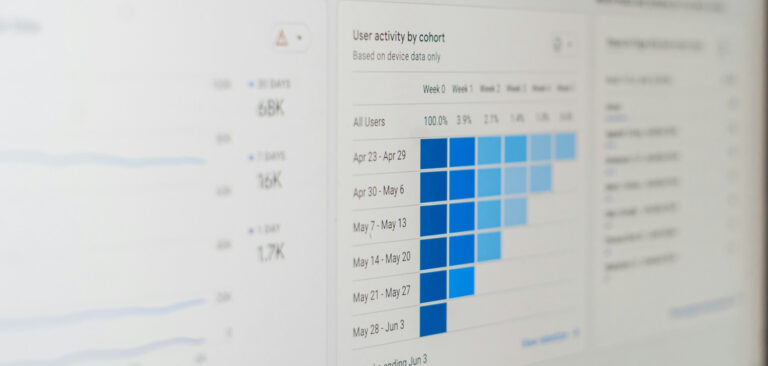
So go through your content. Open Google Analytics and Google Search Console, and look for pages that have not received any traffic in the last six to twelve months. If a page has zero traffic and no backlinks, you can delete it. If it has backlinks but poor content, then you can rewrite it to add value and fresh data. Otherwise, you can also redirect it to a more relevant page on your website.
2) Add Fresh Keywords Naturally
When you first wrote your content, you targeted certain keywords. But search behavior changes over time. People start searching differently, and new terms come up. So, if your content is not optimized for these new keywords, it will not get new traffic.
So, add new keywords naturally. Open Google Search Console and check what keywords your page is already ranking for. Then use a tool like Ahrefs to find new related keywords that people are actively searching for.
The “People Also Ask” section on Google is also worth checking. You can also use peoplealsoask.ai to gather the data about what people also search for. Also, check the related searches at the bottom. These tell you exactly what your audience is searching for today.
Then add those keywords naturally into your content. One important thing. Do not change your main keyword if the page is already ranking for it. Just add supporting keywords that complement it.
3) Improve Readability and Formatting
If your content is getting impressions and clicks but its bounce rate is too high, there is a high chance that your content has a complex structure. Or the content is written in difficult language that readers struggle to understand.
When users open a page, they skim through the whole page first to see whether it contains the necessary information they need. If they find it, they will stay. If the information is hidden in long paragraphs or difficult language, they will leave.
Therefore, analyze the whole content carefully. Improve the content structure and flow. Make the headings clean and easy to understand. Break long text parts into short paragraphs with suitable headings.
Also, improve the readability of the content. Simplify complex terms or replace them with easy words. You can also optimize the content readability with the help of Paraphrasing.io. This tool can improve the flow and replace difficult terms with easy ones quickly. It saves you a lot of time and effort.
4) Add New Sections for Topics You Missed
After the Google helpful content update, thin content generally struggles to perform well in search results. So, you need to update such content by adding useful and practical information.
Open your old content and read it like a first-time visitor. Look for the following:
- What questions does it leave unanswered?
- What has changed in your industry since you published it?
- What new information would make this page more complete?
Look at competitor pages that are outranking you. See what sections they have that you do not. Then write new sections that answer those missing questions. Add real examples, fresh data, and practical steps to back up every point.
5) Fix and Refresh Your Internal Links
Over time, your website grows. When you publish new pages, old pages become more relevant to those pages. So, analyse your refreshed content and look for places where you can link to newer, more relevant pages on your website. And check your newer pages too. If any of them cover a topic that your old content mentions, add a link from the old page to the new one.
Also, check for broken internal links with the help of drlinkcheck.com. Sometimes, pages get deleted, and old links end up pointing to pages that no longer exist. These broken links frustrate readers and waste your crawl budget.
Replace them with working links. Or remove them if there is no relevant replacement.
A strong internal linking structure helps Google understand how your pages connect to each other. It also keeps readers on your website longer. Both of these things help your content perform better in search.
Final Words
Most marketers focus on publishing new content. But the content you already have is just as valuable. You just need to keep it fresh.
We have discussed five important strategies that can be very helpful for marketers in updating their content.
Refreshing old content takes less time than writing from scratch. And the results are often faster too.
So do not ignore what you have already built. Make it better and let it work for you again.