Most AI writing platforms claim to be an “all-in-one” solution for writing needs. They promise speed, creativity, and “best results.” But when you actually use them, the quality often varies from tool to tool. Some of the tools work well; however, others do not provide the required results.
This makes choosing the right AI writing tool difficult. You are not simply going with a platform; you are trusting it for your content writing needs.
Editpad is one of the popular options. It offers a wide range of writing tools that cover everyday writing needs, including writing, summarizing, paraphrasing, and humanizing AI content. In this review, we will test some of its writing tools to evaluate output quality, usefulness, and practical performance.
Editpad is a versatile, AI-powered platform that offers a diverse collection of tools mainly focused on content writing and optimization. It claims to work by combining large language models with natural language processing algorithms that analyze text patterns, intent, and context before generating or refining content.
The platform runs entirely online, so there’s no setup or installation required. Users interact with the tools through a simple interface. They just need to insert the input or prompt into a tool to get results. All the tools offer free access to the basic features. However, to enjoy the advanced features, users need to buy its premium plans.
The paraphrasing tool is one of the featured tools on Editpad. It is designed to paraphrase the given text to improve its readability and make it easy to understand without changing the meaning.
How it Works:
The working of this tool is simple. It provides multiple modes for paraphrasing the text, including Standard, Smooth, Reworder, Formal, etc. Users have to provide their text and select the preferred mode of paraphrasing, and then hit the “Paraphrase” button. The tool then provides output in a side box.
How Well it Performs:
To check how well the Editpat paraphrasing tool performs, we tested it with a technical paragraph from one of our blog posts. This kind of text is usually difficult to paraphrase accurately due to the presence of industry jargon and technical terms.
After paraphrasing, the tool provided reliable results. When comparing both versions closely, the changes feel natural. You can see both versions here in the following screenshot:
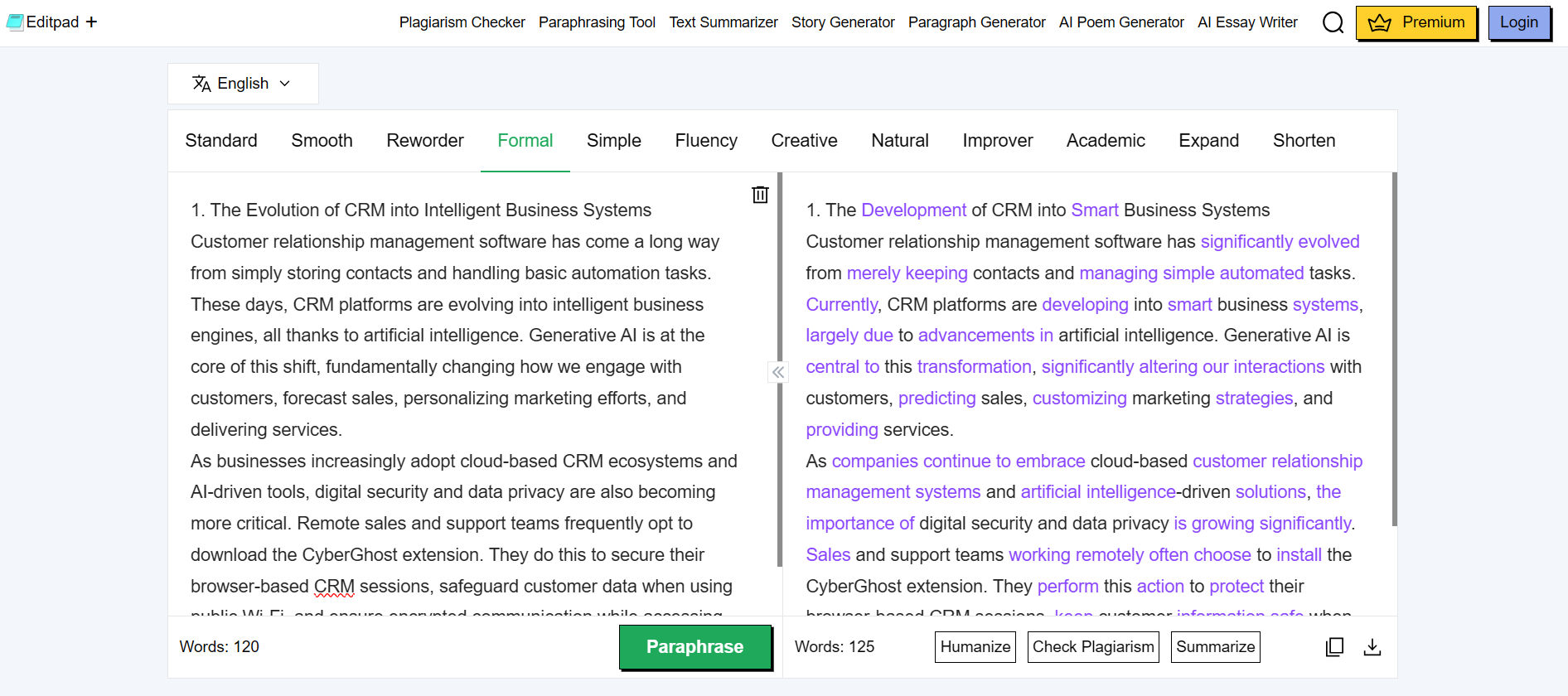
Phrases like “has come a long way” were rewritten as “has significantly evolved,” and “simply storing contacts” became “merely keeping contacts.” Also, it handled technical terms and difficult sentences accurately. This shows that the tool understands context instead of randomly swapping words.
The text summarizer is mainly used when you have long content and you want to shorten it without losing the main idea.
How it Works:
The text summarizer offers two modes: AI Summarizer and AI Summarizer Pro. There is a slider to select the length of the summarized text from “Short” to “Long”. Also, it provides two options for output: one is Paragraph, and the other is Bullet Points. Users have to paste their data and click the “Summarize” button, and the tool provides output in a while.
How Well it Performs:
To assess the performance of the text summarizer, we tested it with the same input text provided to the paraphrase tool due to its complexity and technicality. You can see both versions in the following screenshot:
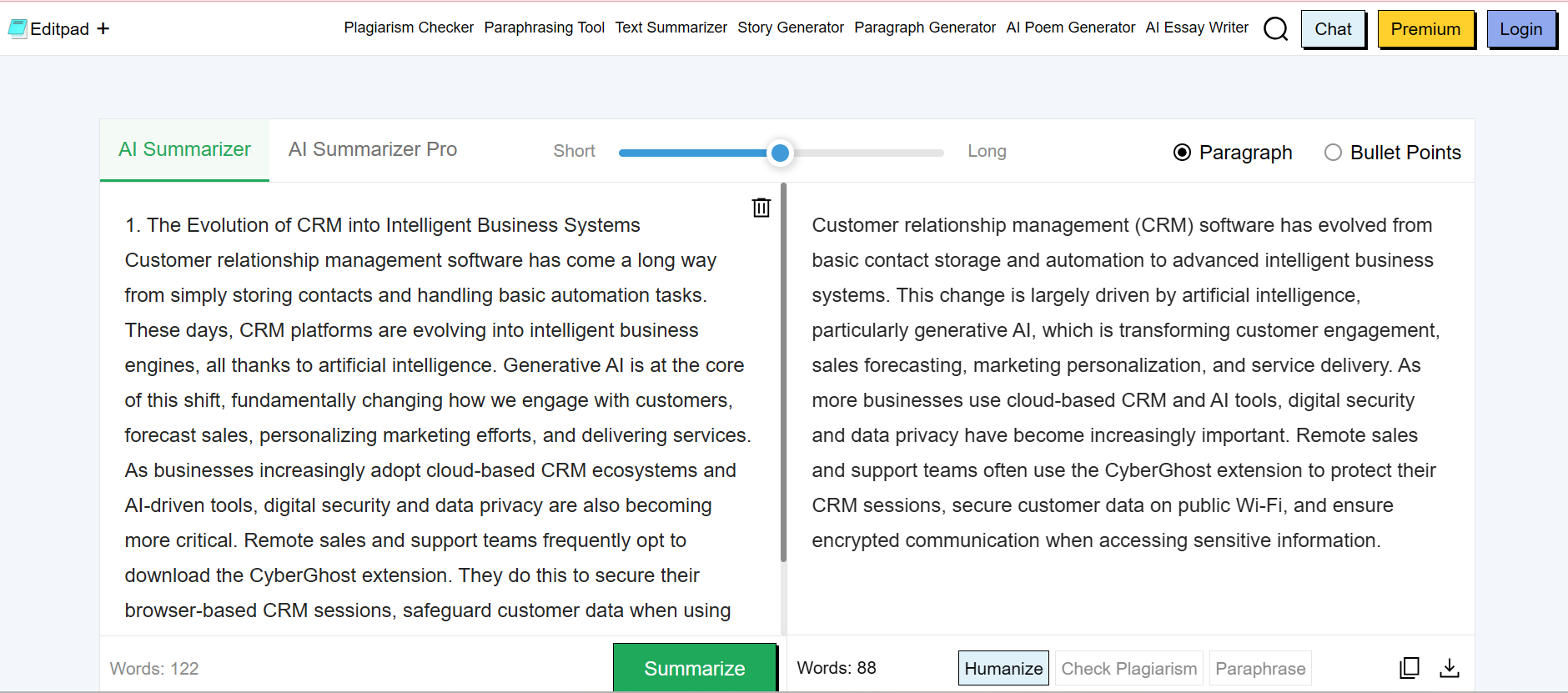
The tool produced a readable and clean summary of the text. It retained important points like customer engagement, sales forecasting, marketing personalization, and the use of the CyberGhost extension. Hence, the tool provided reliable results by reducing long content into a shorter form while keeping the main message intact.
The AI Humanizer tool is designed to humanize the content written by AI tools like ChatGPT, to remove the stiff and robotic tone and make it natural.
How it Works:
This tool provides two modes: one is “Basic,” and the other is “Advanced.” The user has to paste their content into the tool, select the preferred mode, and click the “Humanize” button. The tool then provides the humanized version quickly.
How Well it Performs:
To evaluate the effectiveness of this tool, we tested it using a technical paragraph related to CRM systems and artificial intelligence. After going through the tool, the content read smoothly, though a few sentences felt generic. The sentences got rearranged, and the flow became less stiff. See both versions here:
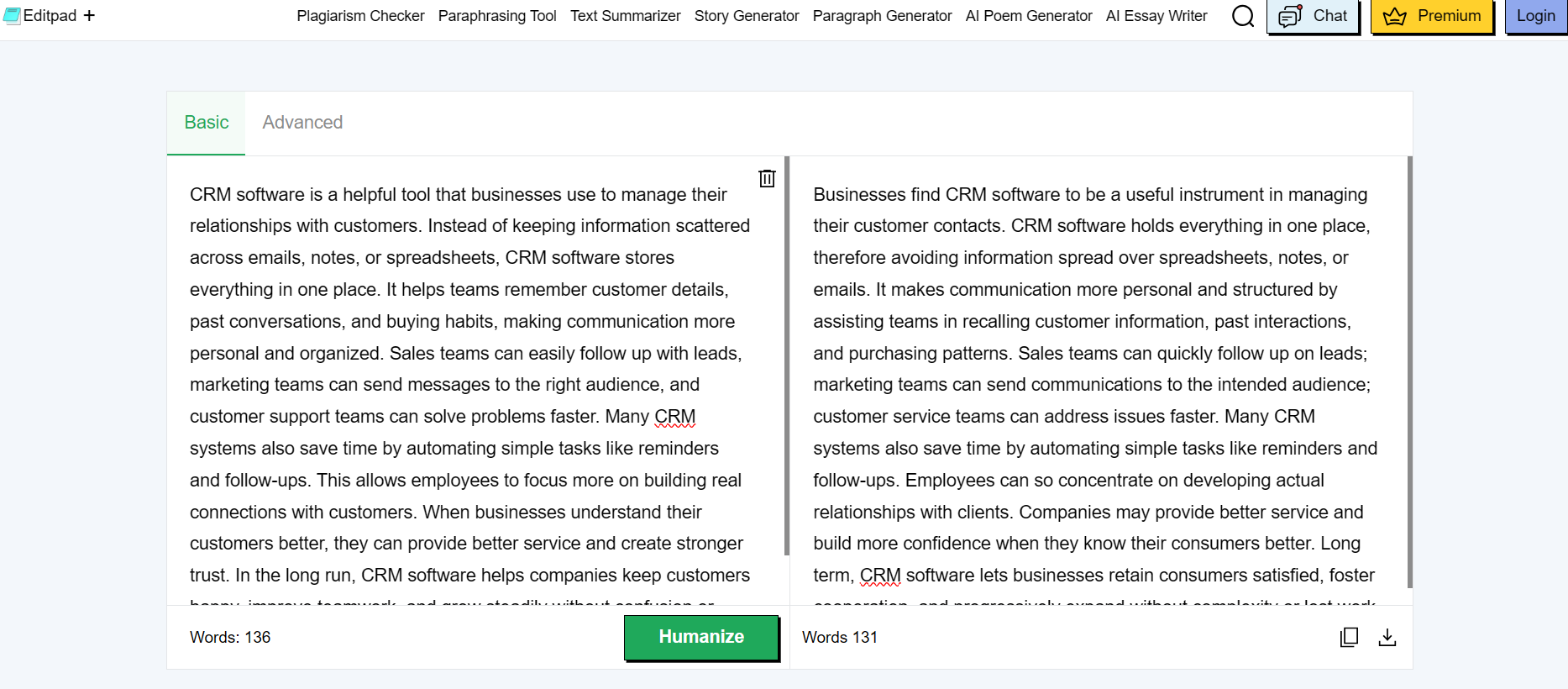
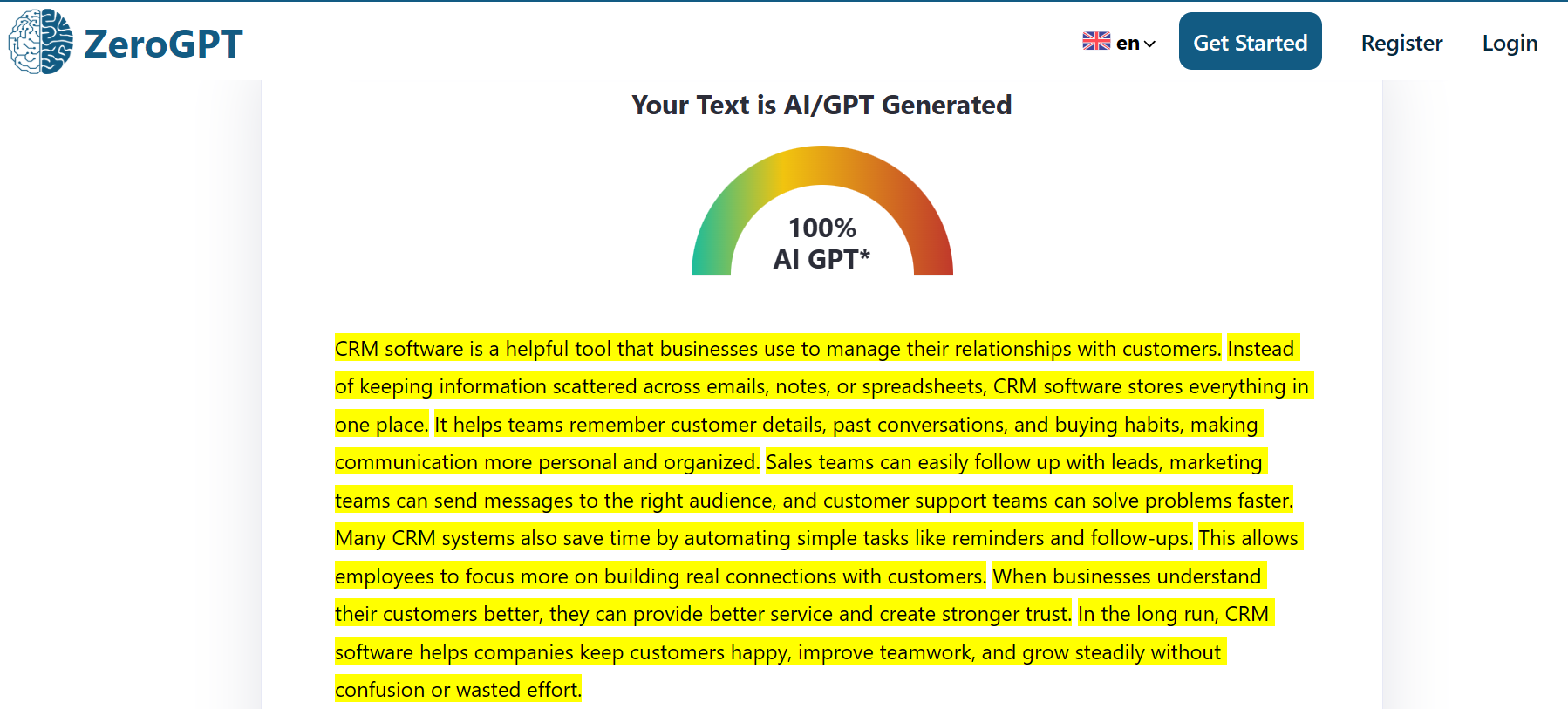
The text became easy to read, as if it was written by a human. Difficult terms were replaced with simpler versions to eliminate the robotic text feeling. The humanized text also bypassed AI detection. Here are the screenshots of both before and after humanizing the text.
Before humanizing the AI text:
After humanizing the text with the Editpad AI Humanizer tool:
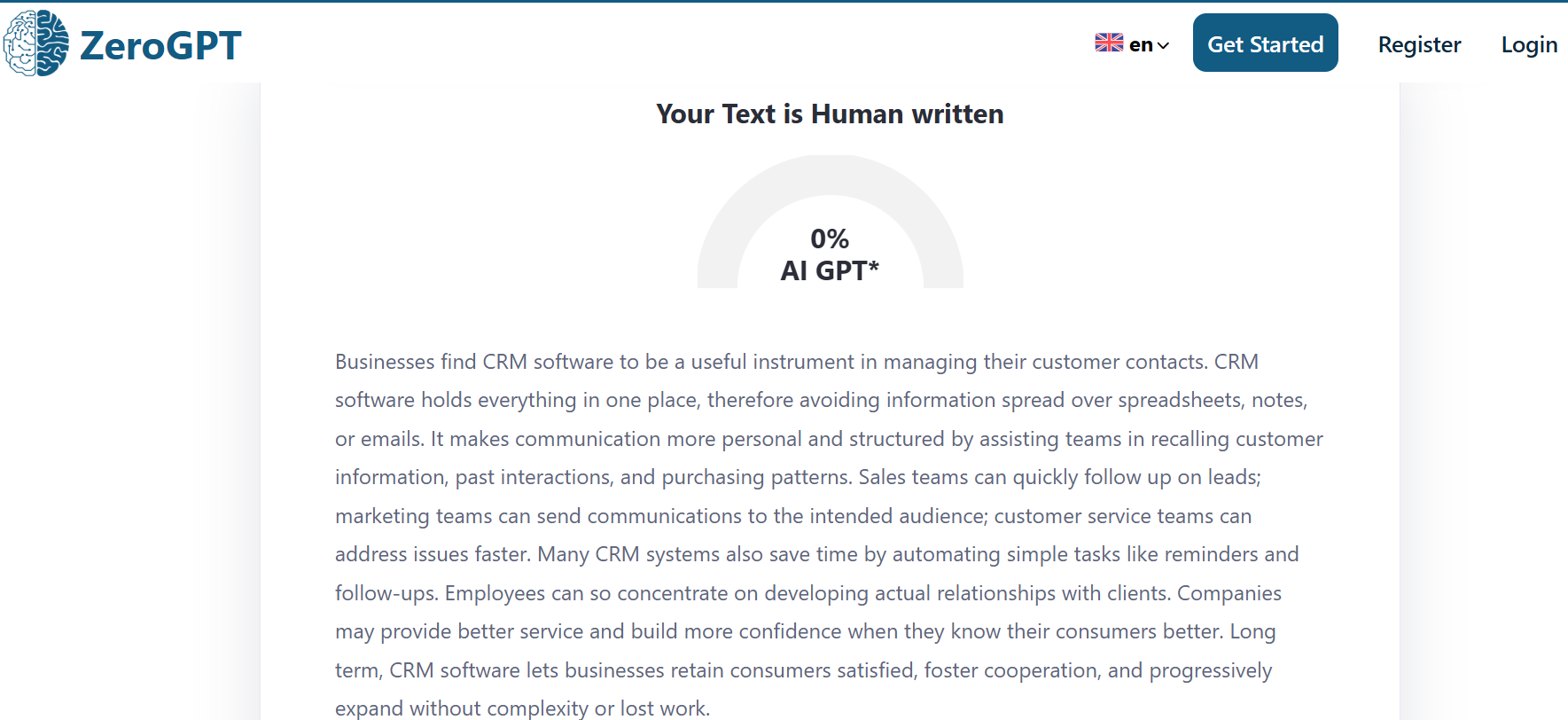
However, some sentences sound slightly unnatural, such as “Long term, CRM software lets businesses retain consumers satisfied,” which a human writer might write differently. This means the tool reduces AI signals, but light editing is still needed.
The grammar checker is built for checking writing mistakes that usually go unnoticed. This includes spelling errors, missing punctuation, and other grammar issues.
How it Works:
The tool is easy to use. The user has to paste their text into the tool and click “Check Grammar”. It points out all the mistakes in the text. Then the user can fix the mistakes one by one by clicking on each one or use the “Fill All” button to fix all the mistakes at once.
How Well it Performs:
We provided random text from a blog post to test the performance. This grammar checker identified many errors. You can see them here:
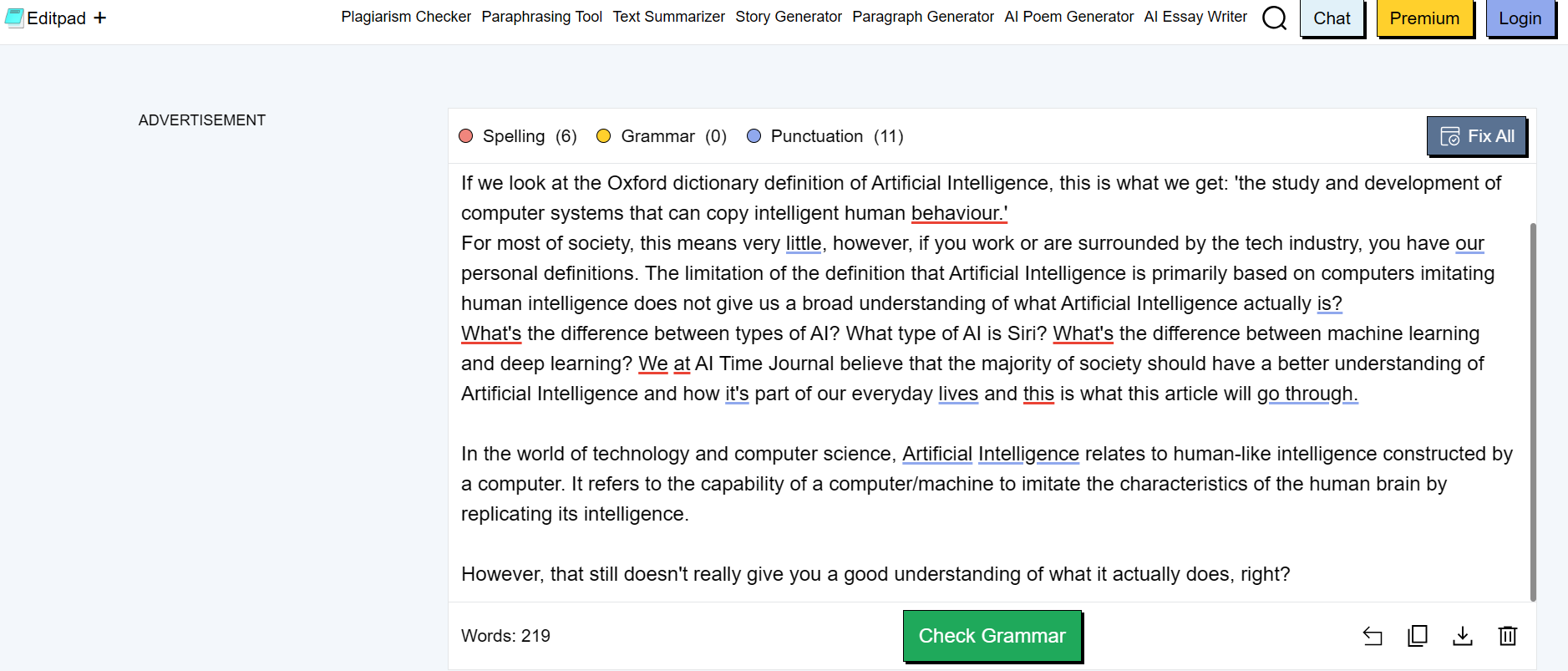
It did a decent job of identifying and fixing spelling mistakes, extra spaces, missing commas, and simple grammar errors. This tool delivers on its promise of quick proofreading.
This tool generates paragraph(s) on a given topic or prompt. It analyzes the prompt and then writes the selected number of paragraphs accordingly.
How it Works:
The tool has an input field for writing the topic or prompt. It offers multiple modes, including Default, Descriptive, Narrative, Expository, Persuasive, and Custom. For length, it provides 2 options: “Concise” and “Detailed”. It also offers 1, 3, or 5 paragraph generation at once.
A user enters the input, selects the preferred provided options, and clicks on the generate button. The tool then creates a paragraph based on the provided topic.
How Well it Performs:
To test this tool, we gave it a basic prompt asking about the purpose of a CRM and how it helps a business. The generated paragraph explains what a CRM system is and how it supports business operations. It covers key points like managing customer information, improving communication, supporting teamwork, and helping with decision-making. Here is the output of the tool:
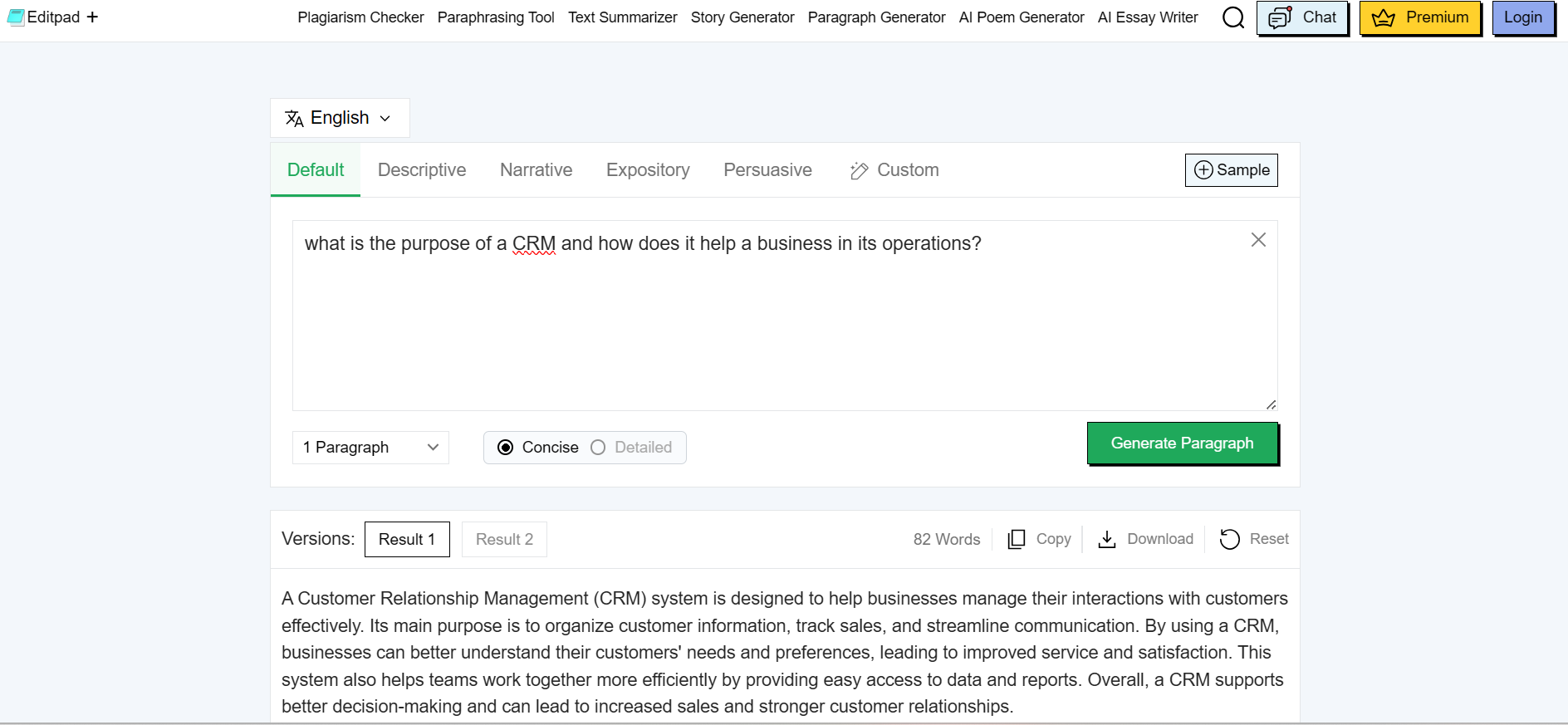
The paragraph reads smoothly and stays focused on the topic. The language is easy to understand and suitable for general readers. While the content is not very advanced or detailed, it works well for basic explanations and quick use cases.
This tool is designed to create a detailed blog outline on a given topic. It helps writers understand what sections to include before they start writing.
How it Works:
The tool works by getting a prompt. The user has to give a blog title or a topic to proceed and click the “Submit” button. The tool then generates a complete outline on the given topic. It also suggests a blog title if not provided by the user.
How Well it Performs:
While testing, we entered the topic “CRM Software”. The tool then created a complete blog outline with headings and subheadings. It also proposed a blog title. Here is the screenshot of the output by the tool:
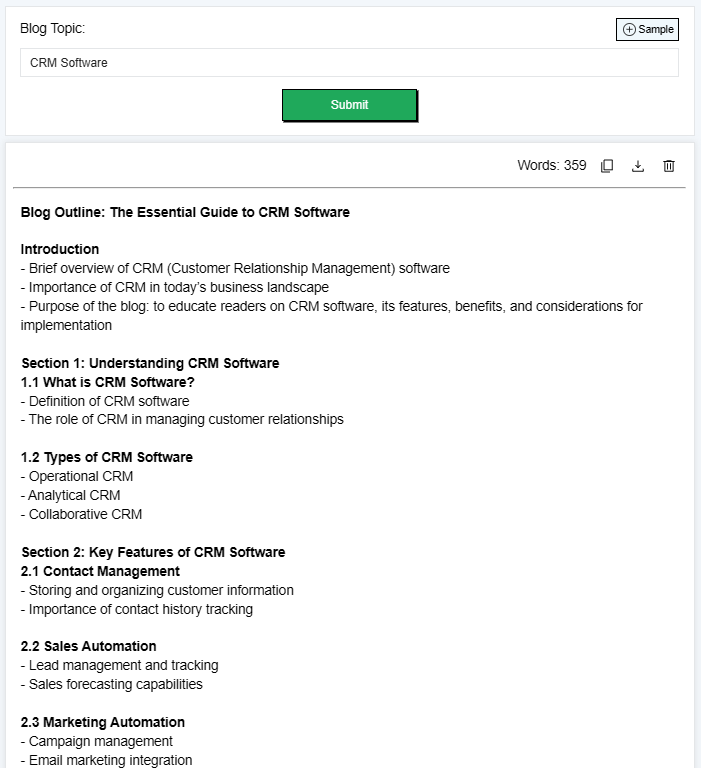
The generated outline covers the topic thoroughly. It starts with an introduction and then moves step by step into explaining what CRM software is, its types, features, benefits, and how to choose the right one. It also includes sections for implementation and a conclusion. Though it feels a bit generic, it is good for starting a blog, but it still needs customization. A writer will have to adjust the headings and add their own angle to make the content unique.
This tool is designed to help users write short and clear meta descriptions for web pages.
How it Works:
The users can generate meta descriptions by providing details about their page or complete content in the prompt box. It offers multiple creativity modes, tone options, and variations for a better user experience.
How Well it Performs:
We tested this tool by providing a paragraph explaining CRM software. Also, we added 2 keywords to include in the description and selected 3 variations. It generated three different meta description variations from the same content. Here is the output by the tool:
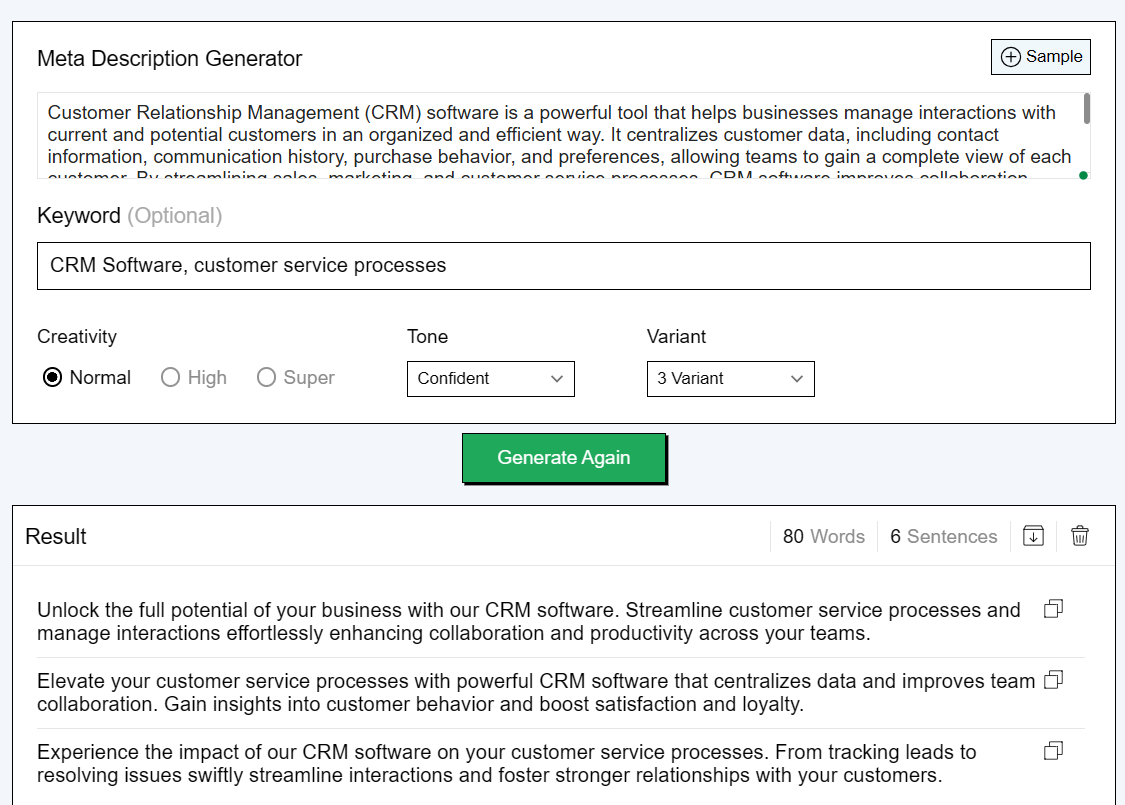
All three descriptions focus on customer service, team collaboration, and better management of customer interactions. The length of the descriptions looks suitable for search results, and the wording is clear. Users can use the output by slightly optimizing it to match the specific brand tone.
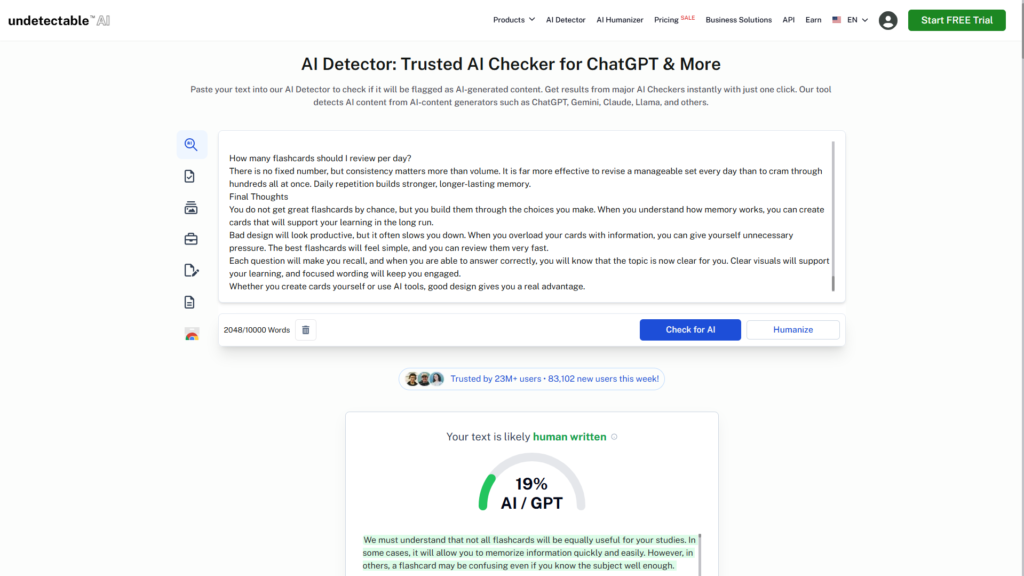
Undetectable.ai is a platform built to help users bypass AI detection systems. It works as both a humanizer and an AI checker, rewriting AI-generated content so it reads as human-written, while also scanning it against leading detection tools. This makes it a go-to tool for content creators, students, and marketers who need their work to pass AI checker tools without being flagged.
How it Works:
Users paste their AI-generated text, select a readability level and content purpose (essay, article, marketing, etc.), and click “Humanize.” The platform rewrites the content and simultaneously runs it through built-in AI-detection engines including GPTZero, Originality.ai, and Copyleaks so users can verify the detection results before downloading.
How Well it Performs:
We tested it with a ChatGPT-generated paragraph on CRM software. Multiple AI checker tools initially flagged it, but after processing, it passed all built-in scans. The output read more naturally, with varied sentence structures and less formulaic wording. Minor awkward phrasings still appeared here and there, so a quick manual review before final use is advisable.
Overall, it’s a reliable option for users focused on making AI content undetectable, with the added convenience of real-time AI checker verification built right into the workflow.
Editpad offers a collection of AI writing tools that cover common content needs. During our testing, the tools worked as expected and produced usable results for general writing tasks. The output usually requires review and light editing before final use, especially for tone and clarity.
These tools are primarily intended for supporting content creation, not producing complete content independently. Users who need quick drafts, rewrites, or structured content may find them helpful, while those looking for highly refined or creative content may need additional effort.