

Pollo AI video editor is a prompt-driven AI video editing tool designed to simplify and accelerate the video creation process. By allowing users to edit videos using natural language instructions, it removes the need for complex timeline-based software and manual adjustments. This article provides a structured review of its core features, workflow, and performance, including a comparison of different AI video models used in marketing scenarios. It also explores who the tool is best suited for and evaluates whether it delivers enough value as a free AI video editor in practical use cases.
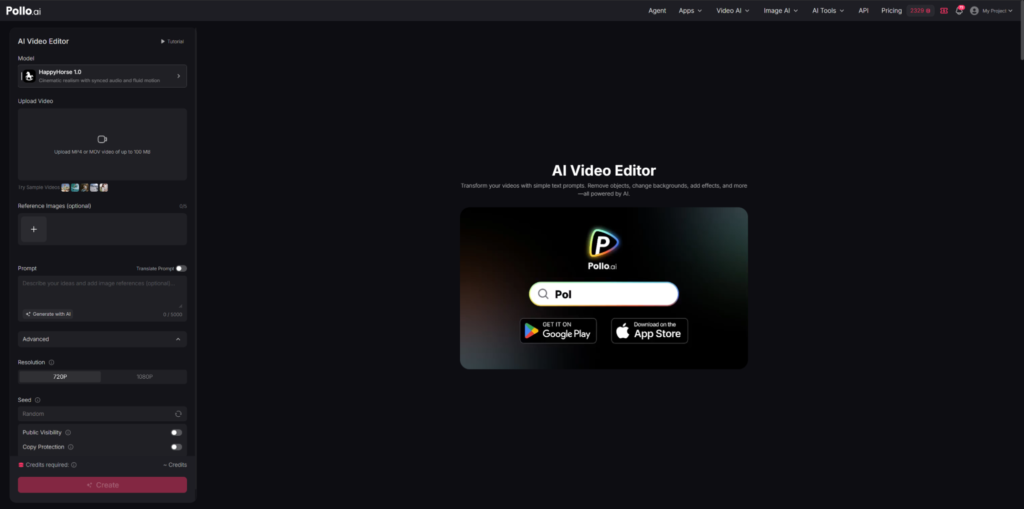
Pollo AI video editor is an AI-powered video creation tool designed to simplify editing through natural language prompts. Instead of traditional timeline-based workflows, users describe the changes they want, and the system automatically applies edits using artificial intelligence.
It operates as a free AI video editor online, allowing users to upload video files and modify them directly in a browser without installing software. Common use cases include object removal, background replacement, style transformation, and automated scene adjustments.
From a broader perspective, an AI video editor is a system that uses artificial intelligence to reduce the complexity of video editing. Rather than manual frame-level adjustments, users rely on text-based instructions to generate professional-looking results. The Pollo AI video editor follows this principle by focusing on prompt-driven creativity and automation.
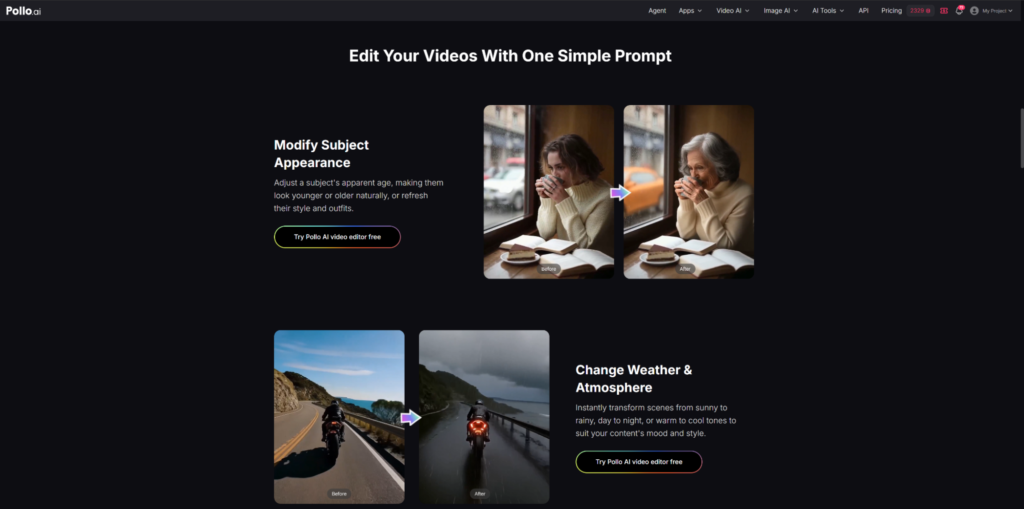
The Pollo AI video editor integrates multiple editing functions into a single AI-driven workflow, reducing the need for separate tools or complex post-production software.
At its core, the Pollo AI video editor from Pollo AI relies on prompt-based editing. Users can instruct the system to modify scenes, remove objects, change lighting, or apply stylistic effects. The video editor AI interprets these instructions and generates corresponding visual outputs.
This reduces reliance on manual editing tools and allows users to focus on creative direction. However, output quality still depends heavily on prompt clarity and specificity.
The tool supports a wide range of transformations, including:
These capabilities make the Pollo AI video editor suitable for fast content iteration and marketing-oriented video production.
Instead of separating editing tasks into multiple modules, the system consolidates them into a single interface. This allows users to perform complex modifications through one prompt input, improving speed and reducing operational friction in content workflows.
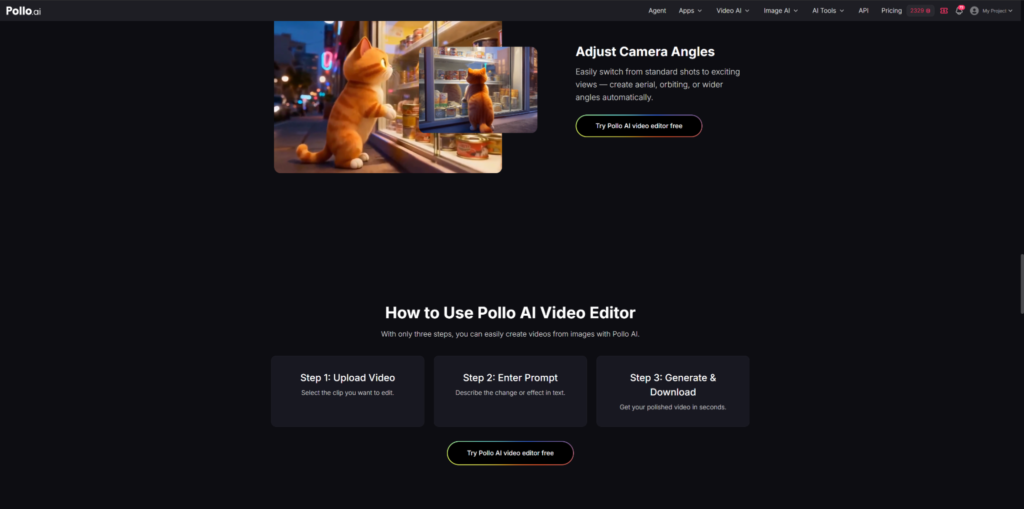
The Pollo AI video editor follows a simple step-by-step workflow designed to make video editing faster and more accessible.
Users upload a video file (such as MP4 or MOV) into the Pollo AI video editor. The system quickly analyzes the footage, including scenes, objects, and motion, to prepare for AI-based editing.
Users describe the changes they want using a simple text prompt. This can include removing objects, changing backgrounds, adjusting lighting, or applying visual effects. The video editor AI interprets the instruction and maps it to the video content.
The system processes both the video and the prompt together. It identifies relevant elements in the footage and applies edits while maintaining basic scene and motion consistency.
The Pollo AI video editor generates the edited video for preview. Users can review the result and, if needed, refine the prompt and regenerate the output for better accuracy.
Once satisfied, users download the final edited video in a standard format, ready for use on social media, marketing, or personal projects.
The performance of the Pollo AI video editor becomes particularly interesting when compared with other AI video models used in marketing scenarios. In this context, three representative systems—HappyHorse 1.0, Wan 2.7, and Runway Gen 4 Aleph—show distinct strengths and weaknesses across key evaluation dimensions.
In marketing video production, three factors are especially important: visual quality and detail handling, semantic understanding of prompts, and product consistency across frames.
HappyHorse 1.0 is optimized for cinematic realism with synced audio and smooth motion rendering. In marketing scenarios, it performs strongly in visual appeal. The opening frames tend to feel premium, with strong lighting design and well-structured product shots. Its aesthetic quality is often considered the most “advertising-ready” among the three.
However, limitations appear in complex motion scenarios. Large or fast movements can introduce visual artifacts or minor distortions. While acceptable for short-form ads, it may struggle with highly dynamic action sequences.
In semantic understanding, HappyHorse performs moderately well. It generally follows prompts accurately, but complex instructions involving multi-step actions (such as “apply product, rotate, then zoom in”) may occasionally result in incomplete execution. In product consistency, it performs reliably when a clear logo or product reference is present, maintaining stable visual identity across frames.
Wan 2.7 focuses on precise video editing and stable stylistic consistency. It performs well in maintaining uniform visual tone across longer sequences, making it suitable for structured brand content or explainer-style marketing videos.
Its strength lies in consistency rather than cinematic appeal. However, compared to HappyHorse 1.0, it tends to produce less visually striking outputs. In product-focused scenes, it maintains stable representation but may lack the refined advertising polish needed for high-impact marketing creatives.
In semantic understanding, Wan 2.7 is generally accurate but tends to interpret prompts conservatively, prioritizing stability over creative interpretation. This can limit flexibility in fast-paced advertising scenarios.
Runway Gen 4 Aleph is designed around advanced AI-driven video editing capabilities, with strong emphasis on prompt-based transformation and generative consistency. It performs well in understanding complex instructions and executing scene-level modifications.
However, in marketing-specific use cases, it sometimes introduces variability in product representation. While it can generate visually impressive sequences, product identity consistency is not always stable when explicit branding elements are not strongly defined.
Its semantic understanding is strong, especially for abstract or cinematic prompts, but slightly less optimized for product-centric advertising logic compared to the other two models.
Across marketing-focused evaluation, the three models show clear but distinct strengths. HappyHorse 1.0 delivers the strongest advertising aesthetics with polished, cinematic visuals and the most reliable product consistency, making it especially suitable for brand-focused content. Wan 2.7 is more stable in output and maintains visual consistency well, but its results are less cinematic and less aligned with high-impact ad styles. Runway Gen 4 Aleph shows the strongest ability to understand complex prompts, yet its product representation can be less consistent in branding scenarios. Overall, within the Pollo AI video editor workflow, HappyHorse 1.0 stands out as the most balanced choice for marketing use, combining visual appeal, consistency, and strong prompt adherence.
The Pollo AI video editor is best suited for users who prioritize speed, simplicity, and scalable content production.
Social media creators can use it to rapidly generate variations of short-form videos for platforms like TikTok and Instagram. Marketing teams benefit from its ability to repurpose footage into multiple ad formats without extensive manual editing.
Small businesses and independent creators also gain value from its accessibility as a free AI video editor, especially when professional editing resources are limited.
However, users requiring frame-level precision or cinematic control may find traditional editing software more appropriate.
The Pollo AI video editor is particularly valuable for users seeking a free AI video editor online that emphasizes speed and accessibility over technical complexity. Its prompt-based workflow enables fast content creation, making it suitable for marketing, social media, and experimental video production.
It is especially effective when paired with high-performing generative models like HappyHorse 1.0, which enhance advertising realism and product consistency.
However, it is less suitable for projects requiring detailed manual editing or high-end cinematic control. In those cases, conventional tools remain more appropriate.
Overall, it serves as a practical AI video editing solution for fast-paced digital content environments.